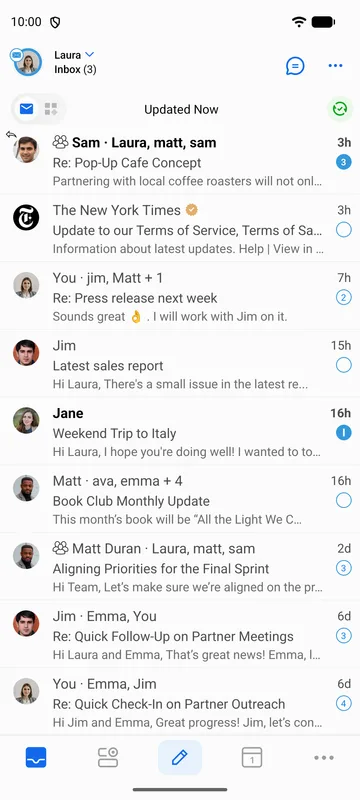
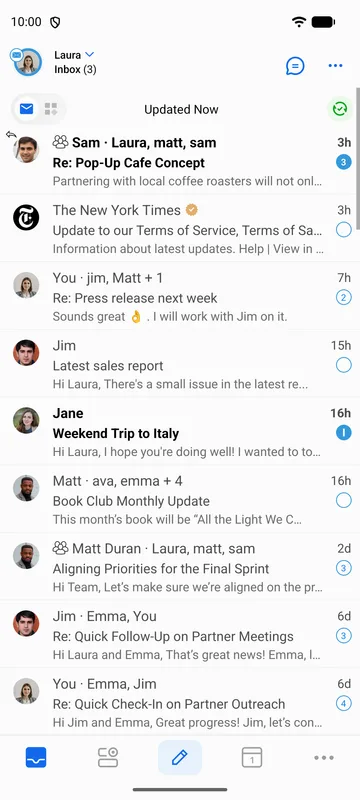
BlueMail lets you choose how unread emails are visually indicated in the message list.
To change the unread indication style:
- Go to Settings | Global Settings | Customize Appearance | Unread indication.
- Choose from the following options:
- Sender — Highlights the sender's name for unread emails.
- Sender & Subject — Highlights both the sender's name and subject.
- None — No visual indication for unread emails.