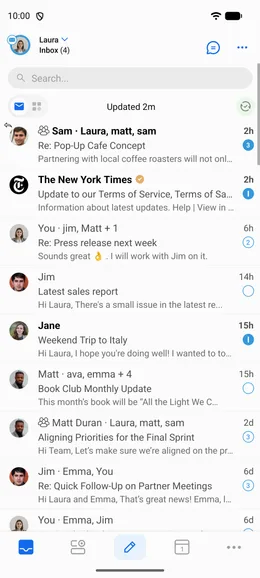
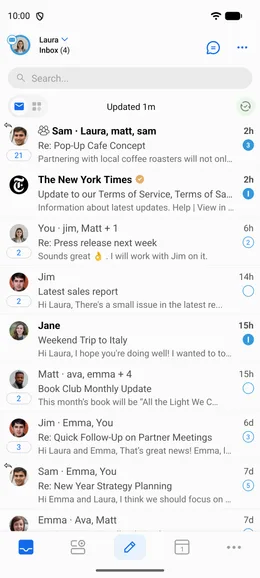
BlueMail organizes similar emails together to remove clutter from your inbox, without hiding any emails. It groups emails from known senders and services into smart clusters, automatically, without any manual folder management.
There are three types of clusters: People, Groups, and Services.
- People: Tapping a person's cluster shows every message from that specific sender in one screen.
- Groups: Keeps conversations on topic by organizing emails into subjects.
- Services: Groups newsletters, coupons, and updates so they don't clutter your inbox — makes clearing out promotional email a breeze.
Any new email in a cluster brings it back to the top of your inbox, so you won't miss follow-ups from a sender or service you've already heard from.
For service clusters, you can:
- Tap » to jump straight to the newest email in that cluster.
- Mark all as read
- Delete All
Learn more:
- Turning Cluster Mode On or Off
- How Avatars Work in Cluster Mode
- Configuring Cluster Settings
- Interactions: the cluster line inside an email — and how to turn it off